If you are registered with the Kenya Revenue Authority (KRA) but earned no income in a given year, you are still legally required to file a tax return. This guide explains how to file nil returns in Kenya clearly and practically, whether you are a student, unemployed, between jobs, or simply have no taxable income during the year.
Filing nil returns is mandatory, and skipping them can lead to penalties that grow over time. The good news is that the process is simple, free, and can be completed online in a few minutes once you understand the steps.
What Nil Returns Mean Under Kenyan Tax Law
Nil returns refer to a tax declaration submitted to KRA indicating that you had no taxable income during a specific financial year. This applies only if you were registered for a KRA PIN but did not earn salary, business income, or any other taxable earnings.
The requirement exists because KRA tracks compliance based on PIN registration, not income activity. Filing nil returns keeps your tax record clean and confirms that you complied with the law for that year.
Who Is Required to File Nil Returns in Kenya
Anyone with an active KRA PIN and no income for the year must file nil returns. This obligation applies regardless of whether you are currently employed or running a business.
Common groups required to file nil returns include:
- University and college students with KRA PINs
- Unemployed individuals or job seekers
- Individuals between jobs during the tax year
- People who registered a PIN but never used it for income
- Kenyans living abroad with no Kenyan-sourced income
If you earned even a small amount of taxable income, you should file a normal return instead of a nil return.
When Nil Returns Should Be Filed
Nil returns follow the same annual deadline as individual income tax returns in Kenya. The filing period covers income earned from 1 January to 31 December of the previous year.
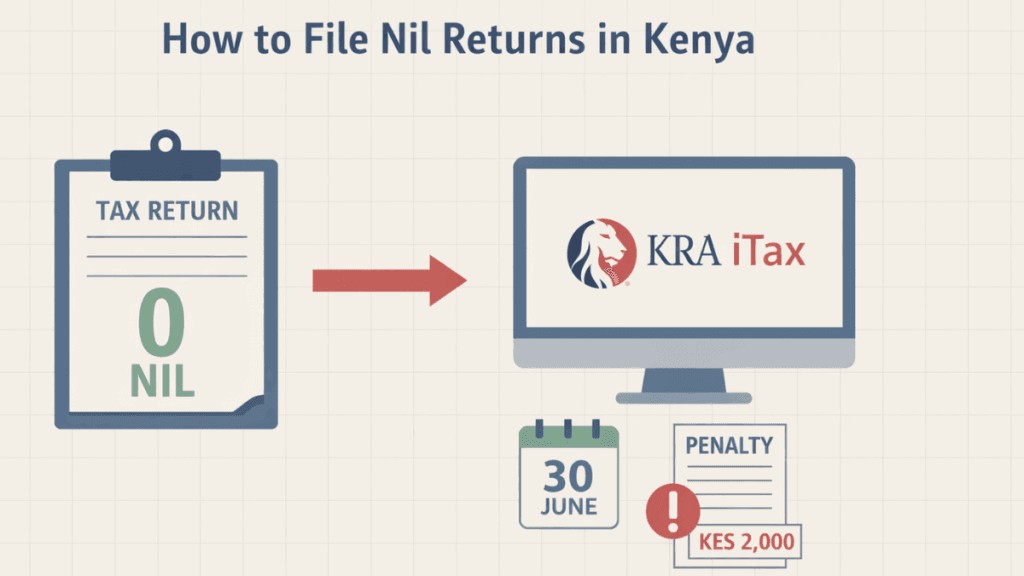
The filing deadline is 30 June every year. Filing even one day late automatically triggers a penalty, regardless of whether your return is nil.
What You Need Before Filing Nil Returns
Before starting the filing process, it is important to have a few basic details ready. This ensures the process runs smoothly and avoids errors.
You will need:
- Your KRA PIN
- Your iTax password
- Access to the email or phone number linked to your iTax account
- A stable internet connection
No documents, such as payslips or bank statements, are required for nil returns.
Step-by-Step Process: How to File Nil Returns on iTax
Filing nil returns is done entirely through the KRA iTax portal. Each step below is essential and should be followed carefully to avoid submission errors.
Logging Into the iTax Portal
Begin by visiting the official KRA iTax website and logging in using your KRA PIN and password. If you have forgotten your password, use the password reset option before proceeding.
Once logged in, confirm that your personal details are correct, especially your email address, as confirmations are sent electronically.
Selecting the Correct Return Type
After logging in, navigate to the Returns menu and select File Nil Return. This option is specifically designed for individuals with no income and should not be confused with employment or business returns.
Ensure the tax obligation selected is Income Tax – Resident Individual, as choosing the wrong obligation can cause submission failure.
Choosing the Correct Return Period
Select the appropriate tax year for which you are filing. The system usually defaults to the previous year, but it is important to double-check before submitting.
Choosing the wrong period may result in the return not being recognized, leaving your account non-compliant.
Submitting the Nil Return
Once the period is selected, submit the return. No figures or attachments are required at this stage. The system will process your submission automatically.
After submission, download and save the acknowledgment receipt. This document is proof that you filed your nil return successfully.
How to Confirm Successful Nil Return Submission
Confirmation is an important final step that many people overlook. Without confirmation, you may assume you are compliant when you are not.
You can confirm a successful submission by:
- Checking for a confirmation message on the iTax portal
- Downloading the acknowledgment receipt
- Reviewing your filing history under the Returns section
If the return appears as “Submitted,” your filing is complete.
Penalties for Late or Failure to File Nil Returns
Failure to file nil returns attracts penalties even if you had no income. KRA enforces this strictly, and penalties accumulate until the return is filed.
The penalty for late filing of nil returns is KES 2,000 for individuals. Interest may also apply if the penalty remains unpaid for an extended period.
How to Pay Nil Return Penalties if Applied
If a penalty has already been charged, it must be cleared before your PIN status returns to compliant. Payment is done through the iTax portal using a payment registration slip.
Once paid, the system updates automatically, though in some cases it may take a few hours to reflect.
Common Mistakes to Avoid When Filing Nil Returns
Many penalties result from simple errors that can be avoided with careful attention.
Common mistakes include:
- Filing after the 30 June deadline
- Selecting the wrong tax obligation
- Filing a nil return when income was earned
- Forgetting to download the acknowledgment receipt
- Assuming students or unemployed individuals are exempt
Avoiding these mistakes saves time, money, and stress.
How to Amend a Nil Return If You Made an Error
If you realize that you filed a nil return incorrectly, KRA allows amendments through the iTax portal. This is especially important if you later discover you had taxable income.
Amendments should be done as soon as possible to reduce penalties and maintain compliance.
Why Filing Nil Returns Matters for Your KRA Compliance
Filing nil returns protects your tax compliance status, which is required for many official and financial activities in Kenya. A non-compliant PIN can block you from opportunities without warning.
A compliant PIN is often required for:
- Job applications
- Government services
- Bank loans
- Business registration
- Tenders and contracts
Regular nil return filing keeps your record clean and future-ready.
Frequently Asked Questions About Nil Returns in Kenya
Can I file nil returns using my phone?
Yes, the iTax portal is mobile-friendly, and nil returns can be filed using a smartphone with internet access.
Can someone else file nil returns on my behalf?
Yes, but they must have your PIN and iTax login details. You remain responsible for accuracy and compliance.
Do I need to file nil returns if I just got my KRA PIN?
If you obtained your PIN during the year and earned no income, you are still required to file nil returns for that year.
Final Thoughts
Understanding how to file Nil returns in Kenya is essential for anyone with a KRA PIN, regardless of income status. The process is straightforward, but the consequences of ignoring it can be costly.
By filing on time, keeping your acknowledgment receipt, and reviewing your compliance status annually, you protect yourself from penalties and unnecessary complications. Nil returns may seem small, but they play a big role in staying compliant with Kenyan tax law
 Join Our Telegram Channel

Vincent Nyagaka is the founder of Chweya, where he breaks down complex financial topics into simple insights. A trader since 2015, he uses his market experience to help readers better understand investing, trading, and personal finance.