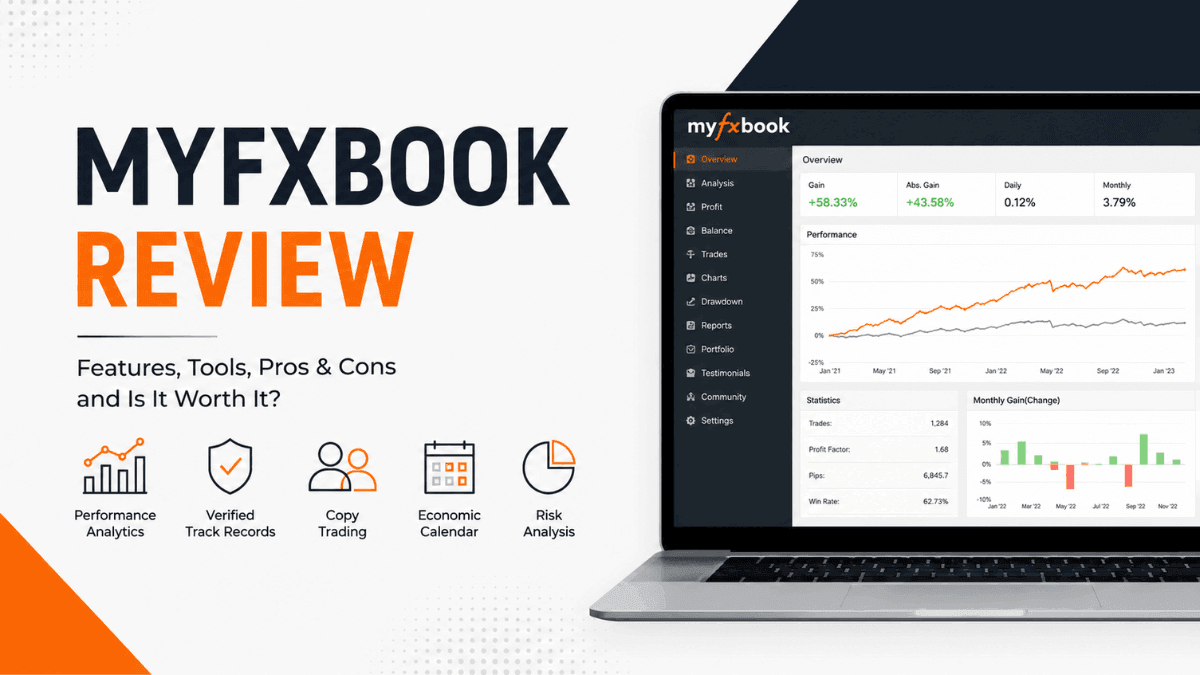
Tracking your trading performance sounds simple until you actually try to do it consistently. Most traders focus heavily on entries and exits but rarely analyze their long-term statistics in a structured way. That’s where Myfxbook comes in.
This Myfxbook review takes a deep look at one of the most widely used forex analytics and copy trading platforms in the industry. Whether you’re a beginner learning how to evaluate your trades or an experienced trader searching for deeper portfolio insights, Myfxbook offers tools that can genuinely improve trading discipline and transparency.

But is it actually worth using in 2026? And can you trust the statistics shown on the platform? Let’s break everything down clearly and practically.
What Is Myfxbook?
Myfxbook is a web-based forex analytics and social trading platform designed to help traders track, verify, analyze, and share trading performance. The platform launched in 2009 and has grown into one of the most recognized third-party tools in the retail forex industry.
At its core, Myfxbook connects directly to your trading account through platforms like MetaTrader 4 and MetaTrader 5. Once connected, it automatically imports your trading history and converts raw data into detailed analytics.
Instead of manually reviewing trades one by one, you can instantly see metrics like:
- Win rate
- Drawdown
- Profit factor
- Average trade duration
- Risk-to-reward ratio
- Monthly returns
- Account growth curves
For many traders, this becomes a trading journal, analytics dashboard, and performance verification tool all in one place.
How Myfxbook Works
Understanding how Myfxbook works is important because the platform itself does not execute trades. It acts as a tracking and analytics layer connected to your broker account.
After creating an account, you link your forex trading account using one of several supported connection methods. The most common option is connecting through the MetaTrader investor password, which provides read-only access.
Once synced, Myfxbook continuously updates your statistics in real time or near real time, depending on your broker and setup.
The platform then organizes your trading data into visual dashboards and performance reports. This allows you to spot patterns that are difficult to notice while actively trading.
For example, you might discover:
- You lose more during Asian trading sessions
- Your short trades outperform long trades
- Gold trades create larger drawdowns than currency pairs
- You perform better on higher timeframes
- Overtrading happens after consecutive losses
These insights can dramatically improve long-term consistency.
Myfxbook Key Features
The biggest reason traders use Myfxbook is the depth of its analytics. Let’s examine the platform’s most useful features.
Trading Analytics Dashboard
The analytics dashboard is the heart of Myfxbook. This section transforms your raw broker data into understandable performance metrics and charts.
The dashboard includes performance tabs covering:
- Gain and balance history
- Equity curves
- Risk analysis
- Duration analysis
- Daily and monthly returns
- Symbol performance
- Session statistics
One particularly useful metric is drawdown analysis. Drawdown refers to the decline from a trading account’s peak balance to its lowest point during a losing period.
Many traders focus only on profits, but experienced traders know risk management matters more. Myfxbook makes drawdown visibility extremely clear.
If your account shows strong profits but massive drawdowns, that’s a warning sign.
Verified Trading Records
One reason Myfxbook became popular is its account verification system. Traders can publicly display verified results instead of posting screenshots that can easily be manipulated.
The platform verifies two main things:
Track Record Verification
This confirms the trading account is real and connected directly to a broker.
Trading Privileges Verification
This confirms the trader actually owns and controls the account.
Together, these features improve transparency within the forex community. When evaluating signal providers or copy traders, verified statistics are far more reliable than social media screenshots.
Still, verification does not guarantee profitability or low risk. Traders should always examine drawdown, consistency, and risk exposure carefully.
AutoTrade Copy Trading
Myfxbook also offers a copy trading service called AutoTrade. This feature allows users to automatically copy trades from selected trading systems directly into their own accounts.
Copy trading has become extremely popular among beginners who lack experience or time to trade manually.
The process is relatively straightforward:
- Browse verified trading systems
- Review historical performance
- Connect a compatible broker account
- Start copying trades automatically
The platform provides detailed performance data for each strategy provider, including:
- Historical returns
- Risk levels
- Drawdown percentages
- Average trade duration
- Trading frequency
This transparency is one of AutoTrade’s biggest strengths compared to many unregulated signal groups online.
That said, copy trading still carries significant risk. A trader with strong historical results can still experience major future losses.
Economic Calendar
Myfxbook includes a built-in forex economic calendar that tracks major market-moving events.
This tool helps traders monitor:
- Interest rate decisions
- Inflation reports
- Employment data
- GDP releases
- Central bank speeches
The calendar is especially useful for forex traders because macroeconomic news can create sudden volatility in currency pairs.
You can filter events by:
- Currency
- Importance level
- Time zone
- Impact expectation
For day traders and scalpers, this feature helps avoid unexpected volatility spikes during major news announcements.
Community and Social Features
Myfxbook has a social component where traders can share strategies, publish systems, and discuss market conditions.
The community aspect includes:
- Public trading systems
- Discussion forums
- Broker reviews
- Trading outlook polls
- Market sentiment data
The sentiment tool is particularly interesting because it shows how traders are positioned across major currency pairs.
For example, if most retail traders are heavily buying EUR/USD, some contrarian traders may interpret that as a bearish signal.
While sentiment tools should never be used alone, they can provide useful market context.
Supported Brokers and Platforms
Myfxbook supports a wide range of forex brokers and trading platforms.
It works particularly well with:
- MetaTrader 4
- MetaTrader 5
- cTrader (limited integration in some cases)
Broker compatibility is generally strong across major forex brokers, including many regulated international firms.
Before opening a broker account specifically for Myfxbook AutoTrade, it’s important to verify compatibility directly on the platform.
Is Myfxbook Free?
One reason Myfxbook became so popular is that most of its core analytics tools are free.
You can create an account, connect trading platforms, and access detailed analytics without paying subscription fees.
The free tools include:
- Account tracking
- Performance analytics
- Economic calendar
- Community access
- Public system publishing
AutoTrade itself does not charge separate subscription fees, but trading costs still apply through spreads, commissions, and broker fees.
Compared to expensive third-party analytics software, Myfxbook offers strong value for retail traders.
Myfxbook Mobile App Experience
Myfxbook also offers mobile apps for Android and iOS devices.
The mobile app allows traders to:
- Monitor account performance
- View open trades
- Check economic events
- Analyze statistics
- Track market sentiment
The interface is generally clean and functional, though some users may find the desktop version more comprehensive for detailed analytics.
Still, the app is useful for monitoring trading performance on the go without logging into your broker account repeatedly.
Advantages of Using Myfxbook
Several features make Myfxbook stand out from competitors.
Strong Performance Analytics
The depth of analytics is excellent for a free platform. Many traders underestimate how valuable proper statistical analysis can be.
Transparency and Verification
Verified trading records help reduce misleading marketing claims.
Free Access
Most features cost nothing, making the platform accessible for beginners.
Useful Copy Trading Features
AutoTrade offers more transparency than many signal-selling communities.
Helpful Risk Analysis
Drawdown tracking and risk metrics encourage better trading habits.
Disadvantages of Myfxbook
No platform is perfect, and Myfxbook also has limitations.
Interface Can Feel Overwhelming
Beginners may initially find the analytics dashboard confusing because of the large number of statistics and charts.
Copy Trading Risks Remain High
Even verified traders can suffer large losses. Historical performance is never guaranteed.
Some Broker Sync Issues
Occasional synchronization problems can occur depending on broker stability and server connection quality.
Not a Trading Platform
Myfxbook itself does not replace trading software. You still need a broker and trading platform to execute trades.
Who Should Use Myfxbook?
Myfxbook works best for traders who want to improve discipline and gain deeper insight into their trading performance.
It is especially useful for:
- Forex beginners learning risk management
- Intermediate traders are analyzing weaknesses
- Signal providers seeking verified records
- Copy traders comparing systems
- Experienced traders optimizing strategy performance
If you never review your statistics, you are essentially trading without feedback. Myfxbook helps solve that problem.
Is Myfxbook Safe and Legit?
Myfxbook is considered a legitimate and widely recognized platform within the forex industry.
The company has operated for many years and is used by traders globally. The platform primarily uses read-only access methods when connecting accounts, which means it cannot directly place or close trades through investor-password connections.
Still, users should always:
- Use strong passwords
- Enable two-factor authentication if available
- Avoid sharing sensitive broker credentials
- Connect only trusted broker accounts
As with any financial platform, security awareness matters.
Myfxbook vs TradingView
Many traders compare Myfxbook with TradingView, but the two platforms serve different purposes.
TradingView focuses primarily on charting, technical analysis, and social chart sharing.
Myfxbook focuses more on:
- Performance analytics
- Account tracking
- Trade verification
- Copy trading
- Statistical evaluation
Many serious traders actually use both platforms together rather than choosing one over the other.
Myfxbook vs FX Blue
Another common comparison is Myfxbook versus FX Blue.
FX Blue also provides forex analytics and account tracking tools. Some traders prefer FX Blue’s reporting style, while others prefer Myfxbook’s social features and cleaner visualization.
In practice, both platforms are respected, and the better choice often comes down to personal preference.
Final Verdict
Myfxbook remains one of the best free forex analytics platforms available today. Its combination of detailed statistics, verified account tracking, economic tools, and copy trading features gives traders a practical way to improve performance awareness.
The platform is not magic. It will not suddenly make someone profitable. What it does provide is visibility — and visibility is critical in trading.
Many traders lose money because they never properly analyze their habits, risk exposure, or long-term patterns. Myfxbook helps turn trading data into actionable insight.
For beginners, it offers a valuable learning tool. For experienced traders, it provides deeper performance diagnostics that can sharpen strategy execution and risk management.
If you are serious about forex trading and want to understand your trading behavior beyond basic profit and loss numbers, Myfxbook is absolutely worth trying.
Frequently Asked Questions About Myfxbook
Is Myfxbook free to use?
Yes. Most Myfxbook features, including analytics and account tracking, are completely free.
Can Myfxbook place trades on my account?
Typically, Myfxbook uses read-only access methods for analytics tracking. However, AutoTrade copy trading requires additional permissions to mirror trades.
Is Myfxbook good for beginners?
Yes. Beginners can benefit greatly from performance analysis, risk tracking, and learning from verified trading systems.
Does Myfxbook support MetaTrader 5?
Yes. Myfxbook supports both MetaTrader 4 and MetaTrader 5 accounts.
Can you trust Myfxbook verified accounts?
Verification improves transparency, but traders should still analyze risk metrics carefully before trusting any strategy provider.
Is Myfxbook better than TradingView?
They serve different purposes. TradingView focuses on charting and analysis, while Myfxbook focuses on trading performance analytics and verification.
Trade on the Go. Anywhere, Anytime
If you’re ready to apply what you’ve learned, consider trading with a globally recognized forex and CFD broker like XM .
The platform offers competitive spreads, fast execution, and access to advanced trading tools, including real-time charts and flexible account types, making it suitable for both beginners and experienced traders. Open a trading account for free and start trading today and join millions of traders and investors on the global forex market.
Trading involves risk. Ensure you understand how the markets work before investing.

Vincent Nyagaka is the founder of Chweya, where he breaks down complex financial topics into simple insights. A trader since 2015, he uses his market experience to help readers better understand investing, trading, and personal finance.