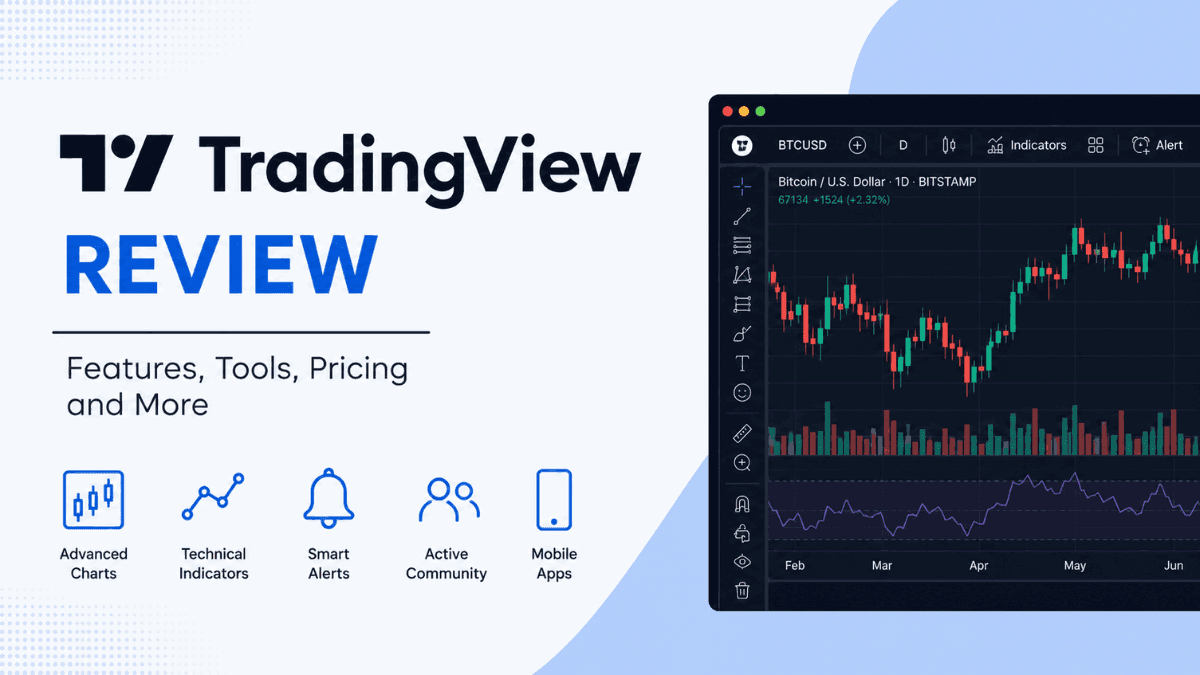
TradingView has become one of the most widely used charting and market analysis platforms in the trading industry. Whether you trade forex, stocks, crypto, commodities, or indices, chances are you’ve seen screenshots of TradingView charts across social media, YouTube, or trading communities.
But does the platform actually live up to the hype?
Click Here To Join our Telegram Community
In this TradingView review, we’ll break down everything you need to know — from charting tools and indicators to pricing, broker integration, mobile apps, and the overall user experience. You’ll also learn who TradingView is best suited for, where it falls short, and whether it’s worth paying for a premium plan.
What Is TradingView?
TradingView is a cloud-based charting and social trading platform that allows traders and investors to analyze financial markets in real time. The platform combines advanced technical analysis tools with a strong social community where users share trading ideas, indicators, and market insights.
Unlike traditional desktop trading software that requires installation, TradingView runs directly in your browser. It also offers desktop and mobile apps, making it accessible across nearly every device.
One of the biggest reasons traders prefer TradingView is its simplicity. Beginners can start analyzing charts within minutes, while advanced traders can build custom indicators and automated strategies using TradingView’s scripting language called Pine Script.
TradingView Key Features
TradingView packs a huge number of tools into a clean and modern interface. Here are the features that stand out the most.
Advanced Charting Tools
TradingView’s charting system is the main reason most traders use the platform. The charts are fast, highly customizable, and visually clean.
You can:
- Use multiple chart layouts
- Open several charts simultaneously
- Customize colors, themes, and templates
- Save chart setups in the cloud
- Access dozens of drawing tools
- Add indicators with one click
The platform supports various chart types, including candlestick, line, bar, Renko, Heikin Ashi, Kagi, Point and Figure, and Range charts.
For technical traders, this flexibility matters. You can quickly switch between timeframes, compare assets side-by-side, and build detailed market analysis without feeling limited.
Technical Indicators and Pine Script
TradingView offers hundreds of built-in indicators, including popular tools like:
- Moving Averages
- RSI (Relative Strength Index)
- MACD
- Bollinger Bands
- Fibonacci Retracement
- Ichimoku Cloud
- VWAP
The indicator library becomes even more powerful because of the TradingView community. Thousands of custom indicators are publicly shared by users.
If you want more control, Pine Script allows you to create your own indicators, alerts, and automated strategies. While beginners may find coding intimidating at first, Pine Script is considered one of the easier scripting languages for traders to learn.
That balance between simplicity and flexibility is one of TradingView’s biggest strengths.
Market Coverage
TradingView supports a wide range of financial markets, which makes it attractive for multi-asset traders.
You can analyze:
- Forex pairs
- Stocks
- Cryptocurrencies
- Commodities
- Indices
- Futures
- Bonds
This is especially useful if you trade across multiple markets. Instead of switching platforms, you can monitor everything from one dashboard.
Crypto traders particularly benefit from TradingView because many cryptocurrency exchanges integrate directly with the platform.
Broker Integration and Trading
TradingView is no longer just a charting platform. Many brokers now integrate directly with it, allowing traders to place trades from the charts themselves.
Supported broker integrations vary by region but may include forex brokers, stock brokers, and crypto exchanges.
The main advantage here is convenience. You can:
- Analyze charts
- Set alerts
- Execute trades
- Manage positions
—all from one interface.
That workflow feels much smoother compared to constantly switching between a broker platform and a separate charting tool.
TradingView Alerts
Alerts are one of the most valuable features on TradingView, especially for active traders.
You can create alerts based on:
- Price levels
- Indicator conditions
- Trendline breaks
- Pine Script strategies
- Percentage moves
Notifications can be delivered through:
- Mobile push notifications
- SMS
- Browser notifications
- Webhooks
For traders who cannot watch charts all day, alerts can help avoid missed opportunities.
TradingView Community and Social Features
TradingView has a strong social component that separates it from traditional trading software.
Users can publish:
- Trade setups
- Market forecasts
- Educational content
- Custom indicators
- Live analysis
You can follow traders, comment on ideas, and explore market sentiment directly from the platform.
That said, traders should approach community content carefully. Not every shared analysis is reliable, and blindly copying ideas can be dangerous.
The real value comes from using the community as a learning resource rather than a signal service.
User Interface and Ease of Use
One of the reasons TradingView exploded in popularity is its clean design.
Many trading platforms feel outdated or overly technical. TradingView avoids that problem by keeping the interface modern and intuitive.
Even beginners can:
- Add indicators easily
- Draw support and resistance zones
- Switch timeframes quickly
- Customize layouts without confusion
At the same time, experienced traders still get advanced features like multi-chart layouts, replay mode, and strategy testing.
That balance is difficult to achieve, yet TradingView handles it extremely well.
TradingView Mobile App Review
The TradingView mobile app is available on both Android and iOS devices.
Compared to many broker apps, TradingView’s mobile experience is surprisingly polished. The charts remain smooth, indicators work well, and alerts sync instantly with desktop devices.
You can perform most core tasks from mobile, including:
- Chart analysis
- Watchlist management
- Alert creation
- Community interaction
- Trade execution with supported brokers
For traders who travel frequently or monitor markets throughout the day, the app adds significant convenience.
TradingView Pricing Plans
TradingView offers both free and paid plans.
The free version is functional but comes with limitations such as:
- Fewer indicators per chart
- Limited alerts
- Ads
- Reduced chart layouts
Paid plans unlock more advanced tools and flexibility.
TradingView Basic (Free)
The free plan is good enough for casual traders or beginners learning technical analysis.
You still get access to high-quality charts and core indicators, which makes it far more generous than many competing platforms.
TradingView Essential, Plus, and Premium
The paid tiers mainly increase:
- Alert limits
- Number of indicators
- Saved chart layouts
- Simultaneous charts
- Replay functionality
- Data refresh speed
Professional traders who rely heavily on alerts and multi-chart analysis usually benefit from upgrading.
For beginners, however, the free version may be enough initially.
Pros and Cons of TradingView
Every trading platform has strengths and weaknesses. TradingView is no exception.
Pros
- Excellent charting tools
- Beginner-friendly interface
- Large indicator library
- Strong mobile experience
- Cloud-based convenience
- Active trading community
- Multi-market coverage
- Reliable alerts
- Fast performance
Cons
- Some advanced features require paid plans
- Real-time data may cost extra for certain exchanges
- Social trading ideas can be misleading
- Broker integration availability varies by country
- Pine Script still requires learning for advanced customization
Is TradingView Good for Beginners?
Yes — TradingView is one of the best platforms for beginner traders.
The interface is approachable, the charts are easy to understand, and there are countless free educational resources online built around TradingView.
New traders can start simple by learning:
- Support and resistance
- Trendlines
- Basic indicators
- Multi-timeframe analysis
As experience grows, the platform scales with the user.
That progression makes TradingView appealing because you don’t outgrow it quickly.
Is TradingView Good for Professional Traders?
Professional traders also use TradingView extensively.
The combination of advanced charting, scripting flexibility, alerts, and cloud syncing makes it powerful enough for serious analysis.
However, some institutional traders still prefer specialized desktop software for ultra-low latency trading or advanced order execution.
For most retail traders, though, TradingView provides more than enough capability.
TradingView vs MetaTrader
Many forex traders compare TradingView with MetaTrader 4 or MetaTrader 5.
The biggest difference is usability.
MetaTrader focuses heavily on execution and automated trading through Expert Advisors (EAs), while TradingView prioritizes charting and analysis.
TradingView generally offers:
- Better chart visuals
- Easier customization
- Cleaner interface
- Stronger mobile experience
MetaTrader still remains popular for:
- Broker compatibility
- EA automation
- Algorithmic trading
- VPS integration
Many traders actually use both platforms together — TradingView for analysis and MetaTrader for execution.
Security and Reliability
TradingView uses secure cloud infrastructure and offers features like two-factor authentication for account protection.
Because layouts and settings are stored online, traders can log into their accounts from different devices without losing chart setups.
The platform is generally stable, though occasional outages can happen during periods of extreme market volatility.
Compared to many browser-based platforms, TradingView has built a strong reputation for reliability.
Who Should Use TradingView?
TradingView works especially well for:
- Forex traders
- Crypto traders
- Swing traders
- Technical analysts
- Beginners learning charting
- Traders who use multiple devices
- Traders who rely on alerts
It may be less suitable for traders who need advanced institutional execution tools or heavy automated trading infrastructure.
Final Verdict
TradingView remains one of the best charting and market analysis platforms available today.
Its biggest strength is accessibility. Beginners can use it without feeling overwhelmed, while experienced traders still gain access to advanced tools, scripting, and detailed technical analysis capabilities.
The free version is already strong enough for many users, which lowers the barrier to entry significantly. Paid plans mainly improve efficiency and workflow rather than completely changing the experience.
If your focus is charting, technical analysis, alerts, and market monitoring, TradingView is absolutely worth considering. It combines professional-level functionality with one of the cleanest trading interfaces in the industry.
Frequently Asked Questions About TradingView
Is TradingView free to use?
Yes. TradingView offers a free plan with access to charts, indicators, and community features. Paid plans unlock more advanced tools and higher limits.
Can you trade directly on TradingView?
Yes. TradingView supports broker integrations that allow users to execute trades directly from the charts.
Is TradingView good for forex trading?
Yes. TradingView is widely used by forex traders because of its advanced charting tools, indicators, and market analysis capabilities.
Does TradingView support cryptocurrency charts?
Yes. TradingView supports crypto charting and integrates with several cryptocurrency exchanges.
Is TradingView better than MetaTrader?
It depends on your needs. TradingView offers superior charting and usability, while MetaTrader remains stronger for automated trading and broker compatibility.
Do professional traders use TradingView?
Yes. Many professional and retail traders use TradingView for technical analysis, charting, alerts, and market monitoring.
Trade on the Go. Anywhere, Anytime
If you’re ready to apply what you’ve learned, consider trading with a globally recognized forex and CFD broker like XM .
The platform offers competitive spreads, fast execution, and access to advanced trading tools, including real-time charts and flexible account types, making it suitable for both beginners and experienced traders. Open a trading account for free and start trading today and join millions of traders and investors on the global forex market.
Trading involves risk. Ensure you understand how the markets work before investing.

Vincent Nyagaka is the founder of Chweya, where he breaks down complex financial topics into simple insights. A trader since 2015, he uses his market experience to help readers better understand investing, trading, and personal finance.