M-Pesa has transformed the way Kenyans send and receive money. With a few taps on your phone, you can pay bills, buy goods, send money to family, or receive payments from customers. Yet even experienced users occasionally make mistakes. A single wrong digit can send money to the wrong person.
If you’ve found yourself searching for how to reverse money on M-Pesa, the good news is that Safaricom provides official channels to help recover funds sent in error. The faster you act, the higher your chances of successfully reversing the transaction. This guide explains the process, timelines, requirements, and what to do if the recipient has already used the money.

Understanding M-Pesa Reversals
Before attempting a reversal, it’s important to understand how the process works and when it applies.
An M-Pesa reversal is a request to Safaricom to cancel or recover funds sent to the wrong recipient. The company reviews the request and, where possible, returns the funds to the sender’s account.
Not every transaction qualifies for an automatic reversal. Several factors influence the outcome, including whether the recipient has withdrawn or spent the money and how quickly the error is reported.
The moment you notice a mistake, stop and take action immediately. Waiting for several hours or days can significantly reduce the chances of recovery.
Common Reasons People Request M-Pesa Reversals
Many reversal requests stem from simple human errors rather than technical problems.
Some of the most common situations include:
- Sending money to the wrong phone number
- Entering the wrong amount
- Accidentally paying the wrong business number
- Sending money to the wrong till number
- Selecting the wrong contact from the phonebook
- Making duplicate payments
These mistakes can happen to anyone, especially when sending money in a hurry or handling multiple transactions at once.
How to Reverse Money on M-Pesa Using the SMS Method
The fastest and easiest way to initiate a reversal is through the official M-Pesa transaction message.
When you complete an M-Pesa transaction, Safaricom sends a confirmation SMS containing the transaction details. This message includes a transaction code, recipient information, and the amount sent.
Step-by-Step Process
Open the M-Pesa confirmation SMS immediately after noticing the error.
Do not create a new message. Instead, use the “Reply” option directly from the transaction confirmation message.
Type the word:
Reversal
Send the reply to 456.
Safaricom’s system will acknowledge the request and begin processing it. If the transaction qualifies for automatic reversal, the process may be completed within a relatively short period.
Always ensure you send the reversal request from the same phone number used to make the transaction.
How to Reverse Money on M-Pesa Through Customer Care
If the SMS method does not work or you need additional assistance, contacting customer support is the next option.
Safaricom’s customer care team can verify transaction details and guide you through the recovery process.
Contact Methods
You can reach Safaricom through:
- 100 (for Safaricom subscribers)
- 234 (customer support line)
- Safaricom shops and customer care centers
- Official social media support channels
- The MySafaricom App support section
When speaking to an agent, have the following information ready:
- Transaction code
- Sender’s phone number
- Recipient’s phone number
- Amount sent
- Date and time of the transaction
Providing accurate details helps speed up the investigation process.
What Happens After You Request a Reversal?
Many users expect the money to return instantly. In reality, Safaricom follows a verification process before completing a reversal.
Once a request is submitted, the system checks whether the funds are still available in the recipient’s M-Pesa account.
If the money has not been withdrawn, transferred, or used, the reversal is generally more straightforward. The funds may be returned after verification.
If the recipient has already accessed the money, Safaricom may contact them and request authorization for the reversal. The outcome can vary depending on the circumstances of the transaction.
How Long Does an M-Pesa Reversal Take?
The timeline depends on several factors, including the nature of the transaction and how quickly the request was submitted.
Some reversals are processed within minutes, while others may take several hours. Complex cases may require additional investigation and can take longer.
Users who report errors immediately often experience faster resolution than those who wait several days before contacting Safaricom.
For the best chance of success, initiate the reversal request as soon as you discover the mistake.
Can You Reverse Money Sent to a Wrong Number?
Yes, in many cases you can.
When money is sent to the wrong number, Safaricom can investigate and attempt to recover the funds. Success often depends on whether the recipient has already accessed the money.
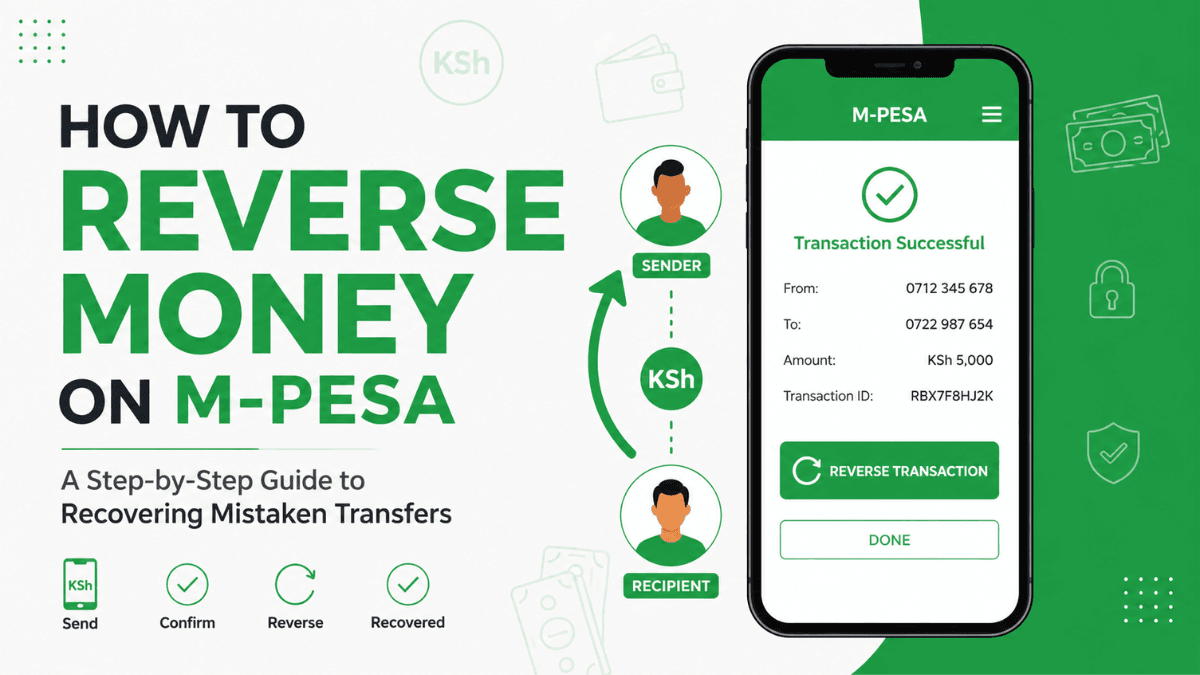
For example, if you accidentally send KSh 5,000 to an unfamiliar number and immediately request a reversal, there is a strong possibility the funds can be recovered before they are used.
If several hours or days pass before the issue is reported, the recovery process becomes more difficult.
Can You Reverse Money Sent to a Till Number?
Business payments present a slightly different situation.
Money sent to a till number can sometimes be reversed, but the process often involves contacting the business owner. Safaricom may need to verify the transaction and communicate with the merchant before proceeding.
If you accidentally paid the wrong business, contact Safaricom immediately and retain the transaction message as evidence.
The sooner the issue is reported, the better the chances of a successful resolution.
Can You Reverse Money Sent to a Paybill Number?
Paybill transactions are generally more complicated than person-to-person transfers.
Once funds reach a paybill account, they may already be integrated into the organization’s payment system. Recovery often depends on the policies of the receiving institution.
You should contact both Safaricom and the organization that received the payment. Provide proof of payment and explain the error clearly.
Many institutions have procedures for handling mistaken payments, although processing times can vary.
What If the Recipient Refuses to Return the Money?
This is one of the situations users worry about most.
Receiving money that was mistakenly sent to your account does not automatically make it yours. Safaricom has established procedures for handling erroneous transfers and may contact the recipient during the investigation.
If a dispute arises, Safaricom reviews transaction records and follows applicable regulations and policies.
The key point is to report the issue immediately and cooperate fully with customer support throughout the process.
Tips to Increase Your Chances of a Successful Reversal
A few simple actions can dramatically improve the likelihood of recovering your money.
Act Immediately
Time is the most important factor in M-Pesa reversals. Submit your request as soon as you notice the mistake.
Keep the Confirmation SMS
Never delete the transaction message until the issue is resolved. The transaction code is critical for tracing and investigating the payment.
Verify Details Before Sending
Always double-check:
- Phone numbers
- Till numbers
- Paybill numbers
- Account references
- Transaction amounts
Spending a few extra seconds reviewing the details can prevent costly mistakes.
Contact Customer Care if Necessary
If the SMS reversal request does not produce results, escalate the matter through Safaricom customer support.
How to Avoid Sending Money to the Wrong Person
Preventing mistakes is easier than recovering money afterward.
Before confirming any M-Pesa transaction, carefully review the recipient’s name displayed on the confirmation screen. This verification step exists specifically to help users avoid sending money to the wrong account.
Avoid rushing transactions when distracted, driving, multitasking, or working under pressure. Most errors occur when people try to complete payments too quickly.
You can also save frequently used contacts to reduce the risk of entering incorrect numbers manually.
Frequently Asked Questions About M-Pesa Reversals
Yes. Sending the official reversal request through the approved Safaricom process typically does not incur an additional fee. Standard customer support procedures apply.
You can still report the issue, but the chances of recovery decrease over time. Immediate reporting provides the best opportunity for a successful reversal.
Yes. Safaricom usually sends a notification acknowledging the request and may provide updates during the investigation process.
Yes. If you accidentally send money to the wrong person, you should initiate a reversal immediately. The outcome will depend on the transaction status and availability of the funds.
Safaricom investigates reversal requests in accordance with its policies and procedures. Each case is reviewed individually based on transaction records and account activity.
Final Thoughts
Learning how to reverse money on M-Pesa can save you from unnecessary stress and financial loss. Mistakes happen, whether you’re sending money to family, paying a business, or settling a bill. What matters most is responding quickly.
The fastest approach is to reply to the transaction SMS with the word “Reversal” and send it to 456. If additional help is needed, contact Safaricom customer care immediately and provide the transaction details. Acting quickly, keeping your transaction records, and following the official process will give you the best chance of recovering your money.
Trade on the Go. Anywhere, Anytime
If you’re ready to apply what you’ve learned, consider trading with a globally recognized forex and CFD broker like XM .
The platform offers competitive spreads, fast execution, and access to advanced trading tools, including real-time charts and flexible account types, making it suitable for both beginners and experienced traders. Open a trading account for free and start trading today and join millions of traders and investors on the global forex market.
Trading involves risk. Ensure you understand how the markets work before investing.

Vincent Nyagaka is the founder of Chweya, where he breaks down complex financial topics into simple insights. A trader since 2015, he uses his market experience to help readers better understand investing, trading, and personal finance.