Online shopping, digital subscriptions, and international payments have become part of everyday life. The M-Pesa GlobalPay Virtual Visa Card makes it easier for Kenyans to pay for goods and services online without needing a traditional bank-issued Visa card. Whether you want to subscribe to Netflix, pay for Facebook ads, purchase software, or shop from international websites, this virtual card provides a convenient and secure solution.
In this guide, you’ll learn how the M-Pesa GlobalPay Virtual Visa Card works, how to activate it, its benefits, fees, and limitations, as well as practical tips for using it safely.

What Is the M-Pesa GlobalPay Virtual Visa Card?
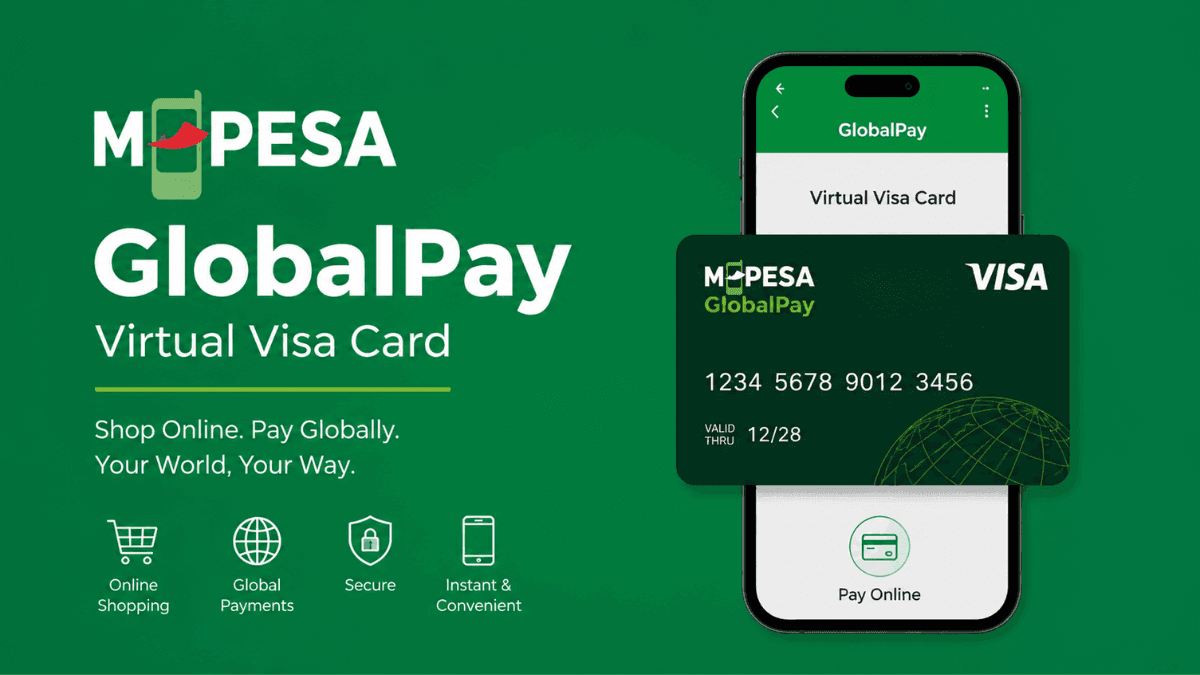
The M-Pesa GlobalPay Virtual Visa Card is a digital payment card linked to your M-Pesa account. It allows you to make online payments anywhere Visa cards are accepted, both locally and internationally.
Unlike a physical debit or credit card, the GlobalPay card exists entirely online. It provides a card number, expiry date, and security code (CVV) that can be used for online transactions just like a regular Visa card.
The service was introduced to help M-Pesa users access global digital services without opening a bank account or applying for a physical payment card.
How the M-Pesa GlobalPay Virtual Visa Card Works
Understanding how the card works helps you use it confidently and avoid common mistakes.
When you create a GlobalPay card through the M-Pesa app, a virtual Visa card is generated instantly. You can then transfer money from your M-Pesa wallet to the card whenever you need to make a payment.
This means the card does not automatically use your M-Pesa balance. Instead, you fund the card with a specific amount before making purchases.
For example, if you want to pay KSh 1,500 for a streaming subscription, you can transfer that amount from your M-Pesa wallet to the GlobalPay card and complete the transaction online.
This funding model adds an extra layer of security because only the amount loaded onto the card is exposed during online transactions.
M-Pesa GlobalPay Virtual Visa Card Features
The card offers several features that make it attractive for online shoppers and digital entrepreneurs.
Key features include:
- Virtual Visa card accepted globally
- Instant card creation through the M-Pesa App
- Secure online payments
- Ability to fund the card when needed
- Support for international transactions
- No need for a traditional bank account
- Real-time transaction tracking
- Easy management through the M-Pesa App
These features make the card suitable for both occasional online shoppers and frequent digital users.
Benefits of Using the M-Pesa GlobalPay Virtual Visa Card
The biggest advantage of the GlobalPay card is convenience. You can access international payment services directly from your M-Pesa account.
Easy Access to International Services
Many international platforms require Visa card payments. The GlobalPay card allows you to pay for services such as:
- Streaming subscriptions
- Online courses
- Software subscriptions
- Cloud hosting services
- Digital advertising platforms
- International e-commerce stores
This eliminates the need to rely on friends, relatives, or expensive payment alternatives.
Improved Security
Security is often a major concern when making online payments.
Because the card can be funded with only the amount required for a transaction, your main M-Pesa balance remains protected. If a merchant experiences a security breach, your exposure is limited to the funds loaded onto the card.
No Physical Card Required
You do not have to wait for card production or delivery.
The card is generated digitally, making it accessible immediately after activation. This is particularly useful when you need to make an urgent online payment.
Better Budget Control
Many people overspend online because their payment cards have direct access to their bank accounts.
The GlobalPay card encourages spending discipline since you only transfer the amount you intend to use.
How to Create an M-Pesa GlobalPay Virtual Visa Card
Setting up the card is straightforward for eligible M-Pesa users.
Step 1: Update Your M-Pesa App
Start by ensuring you have the latest version of the M-Pesa App installed on your smartphone.
Using the newest version helps prevent compatibility issues and ensures access to the latest features.
Step 2: Log in to the M-Pesa App
Open the app and sign in using your registered M-Pesa credentials.
You may be required to verify your identity through a PIN or biometric authentication.
Step 3: Locate GlobalPay
Navigate to the services section within the app and look for GlobalPay.
The exact location may vary depending on app updates, but it is typically found under financial or payment services.
Step 4: Create Your Virtual Card
Follow the prompts to generate your virtual Visa card.
Once completed, you will receive:
- Card number
- Expiry date
- CVV security code
These details are required when making online purchases.
Step 5: Fund the Card
Transfer money from your M-Pesa wallet to the GlobalPay card before making payments.
After funding is complete, you can use the card immediately.
How to Use the M-Pesa GlobalPay Virtual Visa Card
Using the card is similar to using any Visa card online.
When checking out on a website or app:
- Select Visa as the payment method.
- Enter the virtual card number.
- Enter the expiry date.
- Enter the CVV security code.
- Complete any verification steps required.
If sufficient funds are available on the card, the payment will be processed successfully.
What Can You Pay for Using GlobalPay?
The card supports a wide variety of online transactions.
Common uses include:
- Netflix subscriptions
- Spotify Premium
- YouTube Premium
- Facebook advertising
- Instagram advertising
- Google services
- Microsoft services
- Web hosting
- Domain registration
- Online learning platforms
- E-commerce purchases
- Software licenses
Many Kenyan freelancers and business owners also use the card to access international digital tools and services.
M-Pesa GlobalPay Virtual Visa Card Charges and Fees
Fees may change over time depending on Safaricom’s pricing policies and Visa network costs.
Common costs that may apply include:
- Card creation fees
- Card funding fees
- Currency conversion charges
- Transaction fees
- Merchant-specific charges
Before using the service, check the latest pricing information within the M-Pesa App or Safaricom’s official channels.
Understanding the applicable fees helps you avoid surprises when making international payments.
Currency Conversion and Exchange Rates
Most international merchants charge in foreign currencies such as US dollars, euros, or pounds.
When you make a purchase, the amount is converted from Kenyan shillings based on the prevailing exchange rate.
The final amount charged may differ slightly from the advertised foreign currency price due to:
- Exchange rate fluctuations
- Visa conversion rates
- Applicable transaction charges
If you’re making a large purchase, it is worth checking the estimated conversion amount beforehand.
Security Tips for Using the GlobalPay Card
Protecting your card details is essential when shopping online.
Follow these best practices:
- Only use trusted websites
- Avoid sharing card details through email or messaging apps
- Enable device security features
- Monitor transactions regularly
- Fund the card only when needed
- Keep your M-Pesa App updated
These simple precautions significantly reduce the risk of fraud.
Common Reasons Transactions Fail
Occasionally, a payment may not go through.
Some of the most common reasons include:
Insufficient Funds
The card must have enough funds to cover both the purchase amount and any applicable fees.
Incorrect Card Details
Even a small error in the card number, expiry date, or CVV can cause a transaction to fail.
Merchant Restrictions
Some merchants may restrict payments from certain regions or virtual cards.
Network or System Issues
Temporary system outages can occasionally affect payment processing.
If a transaction fails repeatedly, contact the merchant or Safaricom customer support for assistance.
M-Pesa GlobalPay Virtual Visa Card vs Traditional Bank Cards
Many users wonder whether they should use GlobalPay or a bank-issued Visa card.
The GlobalPay card is generally better for users who:
- Primarily use M-Pesa
- Want quick access to online payments
- Prefer not to maintain a bank account
- Need stronger spending control
Traditional bank cards may be better for users who:
- Make frequent international transactions
- Need higher transaction limits
- Require physical card functionality
- Travel regularly
For many Kenyans, GlobalPay provides a simpler, more accessible entry point to online payments.
Who Should Use the M-Pesa GlobalPay Virtual Visa Card?
The card is particularly useful for:
- Students paying for online courses
- Freelancers purchasing digital tools
- Business owners running online ads
- Content creators paying for subscriptions
- Online shoppers buying from international stores
- Professionals using cloud-based software
If your lifestyle increasingly depends on online services, the GlobalPay card can simplify your payment experience.
Frequently Asked Questions
Is the M-Pesa GlobalPay Virtual Visa Card free to create?
Fees may vary depending on Safaricom’s current pricing structure. Always check the M-Pesa App for the latest charges before creating the card.
Can I use the card outside Kenya?
Yes. The card is designed for international online payments and can be used at merchants that accept Visa.
Do I need a bank account to use GlobalPay?
No. One of the biggest advantages of the service is that it works directly with your M-Pesa account, eliminating the need for a traditional bank account.
Can I pay for Facebook and Google Ads using GlobalPay?
In many cases, yes. The card can be used for online advertising payments where Visa cards are accepted.
Is the GlobalPay card safe?
The card is generally considered secure when used responsibly. Funding only the required amount for each transaction provides an additional layer of protection.
What happens if my payment fails?
Check your card balance, verify the card details, and confirm the merchant accepts Visa payments. If the issue persists, contact Safaricom support.
Can I have multiple GlobalPay cards?
Availability of multiple cards depends on the service’s current features and policies. Check the M-Pesa App for the latest options available to users.
Final Thoughts
The M-Pesa GlobalPay Virtual Visa Card bridges the gap between Kenya’s mobile money ecosystem and the global digital economy. It gives M-Pesa users a practical way to pay for international services, subscriptions, online advertising, software, and e-commerce purchases without needing a traditional bank-issued card.
For most users, the combination of convenience, accessibility, and security makes M-Pesa one of the most useful digital payment tools. Whether you’re a student, freelancer, entrepreneur, or regular online shopper, GlobalPay offers a simple way to participate in the growing world of online commerce.
Trade on the Go. Anywhere, Anytime
If you’re ready to apply what you’ve learned, consider trading with a globally recognized forex and CFD broker like XM .
The platform offers competitive spreads, fast execution, and access to advanced trading tools, including real-time charts and flexible account types, making it suitable for both beginners and experienced traders. Open a trading account for free and start trading today and join millions of traders and investors on the global forex market.
Trading involves risk. Ensure you understand how the markets work before investing.

Vincent Nyagaka is the founder of Chweya, where he breaks down complex financial topics into simple insights. A trader since 2015, he uses his market experience to help readers better understand investing, trading, and personal finance.