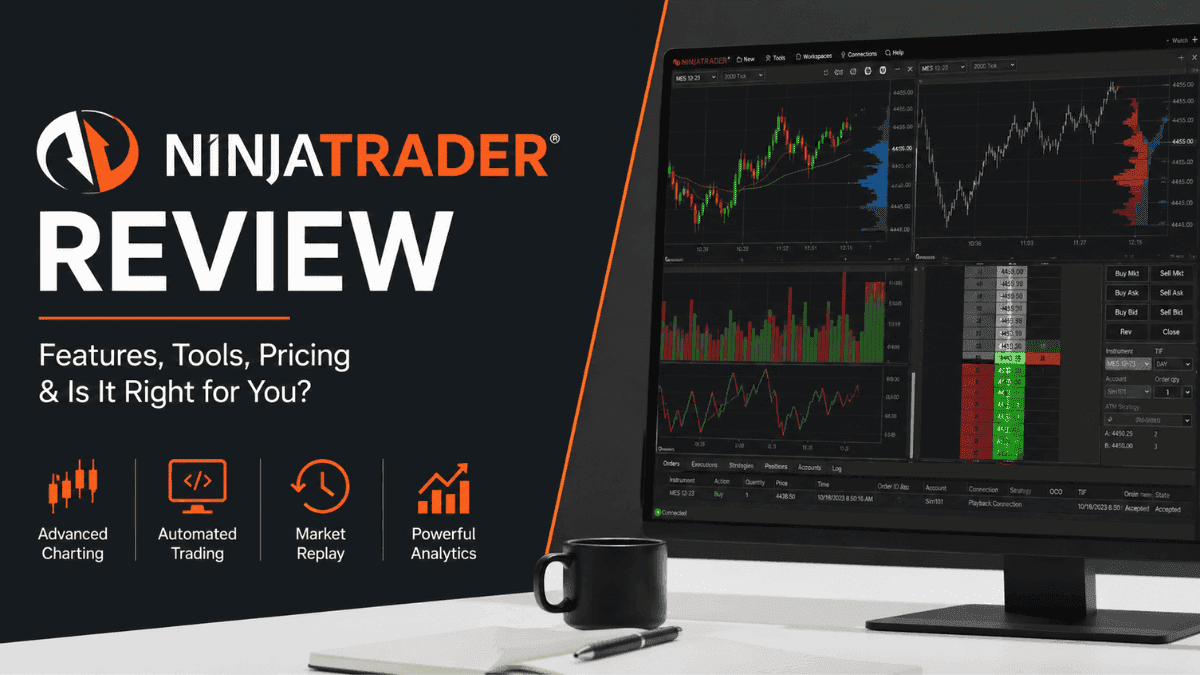
Trading platforms can make or break your experience in the markets. A powerful platform gives you speed, precision, advanced analysis tools, and a smoother workflow, while a weak one often creates frustration at the worst possible moments. In this NinjaTrader Review, we’ll look at what makes this platform popular among active traders, where it shines, and where it may fall short depending on your trading goals.
Originally built with futures traders in mind, NinjaTrader has evolved into a well-known trading ecosystem offering charting tools, automation capabilities, strategy development, and brokerage services. Many professional and semi-professional traders use it because of its customization options and strong technical analysis features.

Still, NinjaTrader is not for everyone. Beginners may find the platform overwhelming at first, while casual investors looking for simple stock investing tools might prefer something easier to navigate. Understanding both sides of the platform is important before committing your time or money.
What Is NinjaTrader?
NinjaTrader is a trading platform and brokerage service focused primarily on futures trading. The platform supports advanced charting, automated trading systems, market analysis, and trade execution from a single workspace.
Unlike many beginner-focused trading apps, NinjaTrader is designed for active traders who need more control over their trading environment. It allows traders to customize layouts, build indicators, create automated strategies, and analyze markets using professional-grade tools.
The platform is especially popular among:
- Futures traders
- Day traders
- Scalpers
- Technical analysts
- Algorithmic traders
While futures trading is the platform’s core strength, some integrations also allow forex and stock market access through supported brokers and data providers.
NinjaTrader Key Features
One reason traders gravitate toward NinjaTrader is its extensive feature set. This section explores the tools and functions that stand out most.
Advanced Charting Tools
Charting is at the heart of the NinjaTrader experience. The platform offers highly customizable charts that can handle everything from basic trend analysis to complex multi-timeframe strategies.
Traders can access:
- Hundreds of technical indicators
- Multiple chart types
- Tick, volume, and range charts
- Drawing tools
- Market replay functionality
- Custom indicator support
For technical traders, this flexibility is a major advantage. You can build detailed workspaces tailored to your strategy instead of relying on rigid default layouts.
Automated Trading Capabilities
Automation is one of NinjaTrader’s biggest selling points. The platform allows traders to create algorithmic trading systems using NinjaScript, which is based on the C# programming language.
If you know coding, you can:
- Build custom indicators
- Develop automated strategies
- Backtest trading systems
- Optimize trading parameters
- Automate order execution
Even traders without programming experience can benefit from third-party strategy libraries and community-built tools available through the NinjaTrader ecosystem.
Market Replay Feature
The Market Replay tool is highly valuable for traders who want to practice in realistic conditions. It allows you to replay historical market activity as though it were happening live.
This feature is useful for:
- Testing strategies
- Improving execution timing
- Practicing discipline
- Reviewing mistakes
Many trading platforms offer paper trading, but realistic replay functionality is far less common. For serious futures traders, this can become an important learning tool.
Trade Simulation Environment
Before risking real capital, traders can use NinjaTrader’s simulation mode to test strategies in a live market environment.
Simulation trading helps beginners understand:
- Order execution
- Position sizing
- Risk management
- Emotional control
Experienced traders also use simulation accounts when testing new strategies or market conditions.
Supported Markets and Instruments
NinjaTrader is heavily associated with futures trading, but the platform can support additional markets depending on your setup and broker integrations.
Futures Trading
Futures are the primary focus of NinjaTrader. Traders can access markets including:
- Indices
- Commodities
- Metals
- Energy
- Interest rates
- Cryptocurrencies futures
Popular instruments include E-mini S&P 500 futures, crude oil futures, gold futures, and Nasdaq futures.
Forex Trading
Forex access is available through supported broker integrations. Traders can analyze currency pairs using NinjaTrader’s charting tools and automated strategies.
However, NinjaTrader is generally viewed as stronger in futures trading than forex trading. Forex traders often compare it with platforms like MetaTrader 4 or MetaTrader 5 because those platforms dominate the retail forex market.
Stock and CFD Access
Stock and CFD access depends on third-party connections rather than being the platform’s primary focus. Because of this, investors looking mainly for long-term stock investing may find more streamlined alternatives elsewhere.
NinjaTrader Platform Experience
A trading platform can have powerful tools, but usability still matters. This section examines the actual user experience.
Desktop Platform
The desktop version is where NinjaTrader truly shines. It delivers the full range of features, advanced customization, and automation tools.
The platform feels professional rather than beginner-friendly. Traders can create multi-monitor setups, advanced workspaces, and highly detailed trading dashboards.
That said, the learning curve can be steep. New users may initially feel overwhelmed by the sheer number of options and configurations available.
Web Platform
NinjaTrader also offers a web-based platform with lighter functionality. It’s useful for monitoring positions and executing trades when away from your primary setup.
The web version is cleaner and easier to navigate than the desktop platform, though it lacks some advanced capabilities.
Mobile Trading
Mobile trading is available through compatible applications, allowing traders to monitor positions and execute trades on the go.
Still, NinjaTrader is best experienced on a desktop. Traders who rely heavily on mobile-first workflows may prefer platforms specifically optimized for smartphone trading.
NinjaTrader Fees and Pricing
Pricing is one area where traders should pay close attention. NinjaTrader offers multiple pricing structures depending on how you plan to use the platform.
Free Version
The free version includes charting, market analysis, and strategy development tools. This is useful for traders who want to learn the platform before upgrading.
However, free accounts may face higher commission costs compared to paid plans.
Lifetime License
NinjaTrader offers a lifetime license option that unlocks lower commissions and additional features. Active traders often choose this route if they plan to trade frequently over the long term.
The upfront cost can be significant, though many active futures traders view it as worthwhile because of potential commission savings.
Brokerage and Data Fees
Traders should also consider:
- Exchange fees
- Data feed costs
- Margin requirements
- Commission structures
These expenses vary depending on the market traded and the specific setup used.
NinjaTrader for Beginners
NinjaTrader can absolutely be used by beginners, but it is not the easiest platform to learn.
The platform offers educational resources, webinars, and a supportive trading community. Beginners who are serious about learning futures trading may appreciate the depth and flexibility available.
Still, there is a noticeable learning curve. Simple actions like configuring workspaces, setting up data feeds, or managing automated strategies can initially feel complicated.
For completely new traders, a simpler platform may feel less intimidating during the early learning phase.
NinjaTrader for Advanced Traders
This is where NinjaTrader earns much of its reputation. Advanced traders often appreciate the platform’s flexibility and professional-grade tools.
Experienced traders can:
- Build custom algorithms
- Optimize trading systems
- Conduct detailed backtesting
- Create advanced order flow setups
- Integrate third-party add-ons
The ability to customize nearly every aspect of the platform makes it attractive to traders who want deeper control over their workflow.
Pros and Cons of NinjaTrader
Every trading platform has strengths and weaknesses. Understanding both sides helps set realistic expectations.

Pros
- Excellent futures trading platform
- Advanced charting capabilities
- Strong automation support
- Market replay functionality
- Extensive customization options
- Powerful desktop experience
- Large trading community
Cons
- Steep learning curve for beginners
- The desktop platform can feel complex
- Some features require paid licensing
- Mobile experience is less powerful
- Stock investing support is limited compared to mainstream brokers
Security and Regulation
Security matters when choosing a trading platform or broker. NinjaTrader operates as a regulated brokerage entity in the United States.
Traders should still understand that futures and leveraged trading involve substantial risk. Even with advanced tools, losses can occur quickly if risk management is ignored.
Good practices include:
- Using stop-loss orders
- Limiting leverage exposure
- Managing position sizes carefully
- Avoiding emotional trading
Educational Resources and Community
Learning resources can significantly improve the trading experience, especially for newer traders.
NinjaTrader provides:
- Video tutorials
- Webinars
- Knowledge base articles
- Community forums
- Platform guides
The trading community surrounding the platform is also active. Many traders share custom indicators, strategies, and workflow ideas online.
This ecosystem can shorten the learning curve if you’re willing to invest time into studying the platform.
How NinjaTrader Compares to Other Platforms
Choosing a platform often comes down to trading style. NinjaTrader competes differently depending on the market you trade.
NinjaTrader vs MetaTrader
MetaTrader 4 and MetaTrader 5 dominate retail forex trading, especially among forex brokers.
NinjaTrader generally offers stronger futures trading tools and deeper desktop customization. MetaTrader platforms, however, are usually easier to access through forex brokers and may feel more beginner-friendly.
NinjaTrader vs TradingView
TradingView is known for its clean interface, social features, and browser-based accessibility.
NinjaTrader is more execution-focused and better suited for traders who need advanced order management and futures trading infrastructure. TradingView, on the other hand, excels in ease of use and visual chart analysis.
NinjaTrader vs Thinkorswim
Thinkorswim is another professional-grade platform with strong charting and analysis tools.
Thinkorswim tends to appeal more to stock and options traders, while NinjaTrader is especially strong in futures trading and algorithmic strategy development.
Is NinjaTrader Safe?
NinjaTrader is generally considered a legitimate and reputable trading platform. It has been operating for many years and is widely used within the futures trading industry.
That said, safety also depends on how you trade. Futures and leveraged products carry significant risk, regardless of the platform used.
A good platform cannot protect traders from poor risk management decisions. Using proper discipline remains essential.
Who Should Use NinjaTrader?
NinjaTrader is best suited for traders who want professional-level tools and are willing to spend time learning the platform.
It may be a good fit if you:
- Trade futures actively
- Prefer technical analysis
- Want advanced chart customization
- Need automated trading features
- Use multi-monitor desktop setups
It may not be ideal if you:
- Want a simple investing app
- Trade casually
- Prefer mobile-first platforms
- Have no interest in technical analysis
Final Verdict
NinjaTrader stands out as one of the strongest platforms for active futures traders. Its advanced charting, automation capabilities, and professional-level customization tools make it appealing for serious market participants.
The platform does require patience. Beginners may initially find the interface intimidating, and some advanced features only become valuable after gaining real trading experience. Traders willing to invest the time, however, often discover a highly capable trading environment that can adapt to complex strategies and workflows.
For futures traders, algorithmic traders, and technical analysts, NinjaTrader remains a respected platform worth considering. Casual investors or traders seeking simplicity may find other platforms easier to use, but for deep market analysis and execution control, NinjaTrader continues to hold a strong reputation in the trading industry.
Frequently Asked Questions About NinjaTrader
NinjaTrader can work for beginners, but it has a steeper learning curve compared to simpler trading platforms. The platform is packed with advanced charting tools, market analysis features, and automation options that may initially feel overwhelming. Beginners who are serious about learning futures trading often appreciate the depth once they become familiar with the interface. Using the free simulation account is a smart way to practice before risking real money.
NinjaTrader is primarily known for futures trading, including indices, commodities, metals, and energy markets. Traders can access instruments such as E-mini S&P 500 futures, crude oil futures, and gold futures. Depending on broker integrations, the platform can also support forex and some stock trading functionality. Futures trading remains the platform’s strongest and most developed area.
Yes, automated trading is one of NinjaTrader’s most popular features. Traders can create custom strategies and indicators using NinjaScript, which is based on the C# programming language. The platform also supports backtesting, optimization, and strategy automation for experienced users. Even traders without coding experience can access third-party tools and prebuilt strategies from the NinjaTrader community.
NinjaTrader offers a free version that includes charting, market analysis, and simulation trading tools. This allows traders to explore the platform before committing to a paid license. However, commission rates may be higher on free accounts compared to funded or licensed accounts. Active traders often upgrade to reduce trading costs and unlock additional features.
Yes, NinjaTrader provides mobile trading access for monitoring positions and placing trades while away from your desktop setup. The mobile experience is useful for managing trades on the go, though it is less powerful than the desktop platform. Most advanced charting and customization features are still better suited for desktop use. Serious day traders usually prefer the full desktop environment for active trading sessions.
NinjaTrader is considered a legitimate and well-established trading platform within the futures trading industry. The company operates as a regulated brokerage service in the United States and has been active for many years. While the platform itself is reputable, trading futures and leveraged products still involves substantial financial risk. Proper risk management remains essential regardless of the platform you choose.
Trade on the Go. Anywhere, Anytime
If you’re ready to apply what you’ve learned, consider trading with a globally recognized forex and CFD broker like XM .
The platform offers competitive spreads, fast execution, and access to advanced trading tools, including real-time charts and flexible account types, making it suitable for both beginners and experienced traders. Open a trading account for free and start trading today and join millions of traders and investors on the global forex market.
Trading involves risk. Ensure you understand how the markets work before investing.

Vincent Nyagaka is the founder of Chweya, where he breaks down complex financial topics into simple insights. A trader since 2015, he uses his market experience to help readers better understand investing, trading, and personal finance.